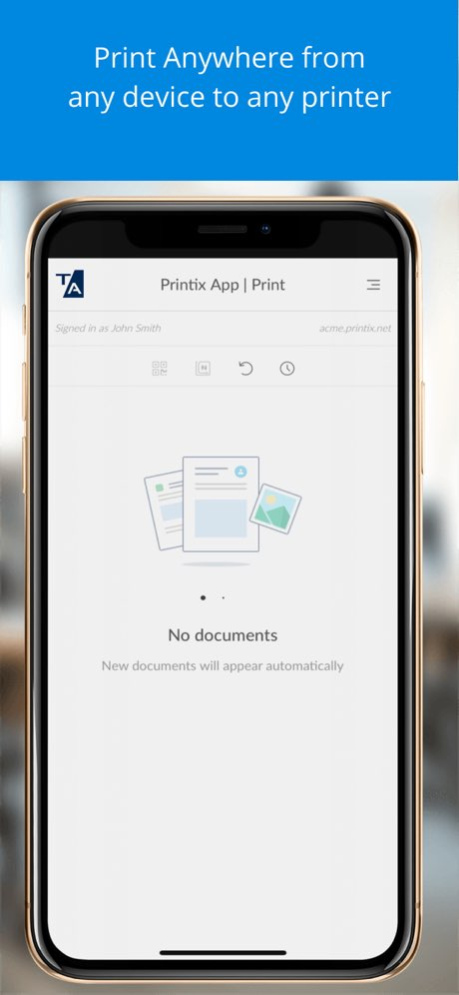
About Tungsten Printix App
Use the Tungsten Printix App to release documents on Printix managed printers. Capture and deliver images to your selected workflow destination. Tungsten Printix Cloud Print Management is a cloud-based printing...
Use the Tungsten Printix App to release documents on Printix managed printers. Capture and deliver images to your selected workflow destination. Tungsten Printix Cloud Print Management is a cloud-based printing platform. Printix is designed and structured to provide a complete print infrastructure and secure printing environment, that guarantees efficiency, productivity and cost savings. No on-premise servers and databases are required. The Printix App network traffic consists of small amounts of control data and does not include print data. Documents are NOT stored on your iPhone or iPad. REQUIREMENTS The Printix App requires Printix Cloud Print Management which enables an IT admin to easily deploy and manage printing with Printix. See Printix's website for details. FEATURES * Secure print. Wait until you are at the printer and then use Printix App to release your documents. * Print from your iPhone and iPad to Printix managed printers. * Reprint. Without going back to your computer, you can retrieve and reprint those of your documents that were printed or deleted within the previous 12 hours. * Select printer by scanning QR code, NFC tag or select from your favorite list of printers. * Capture and deliver images to your selected workflow destination (Email, Microsoft OneDrive, and Microsoft SharePoint Online) as searchable PDF or Microsoft Word files. * Sign in once with Microsoft (Azure AD/Office 365), Google Workspace, Okta, OneLogin or your Printix account. * Groups can be used to control access to printers and deploy printers based on users’ group membership. * Available in 19 languages. BENEFITS * Avoid stressful print and sprint Wait until you have arrived at the printer, and then release the documents via your iPhone or iPad. That way, you prevent others from collecting your confidential and sensitive documents. * Make fewer visits to the printer Submit documents for printing, but postpone the actual collection of the documents until it suits you to release them. * Reduced printing saves on paper and toner By not printing documents that never get collected anyway, your company saves money on paper, toner, maintenance and electricity. * Environment Fewer trees are cut down to produce paper thus reducing carbon footprint and water usage. A Win-Win situation for your company and our environment.
Version History - Various fixes and updates 2026.3 Sep 2 Various fixes and updates. 2026.1.1 Jun 25 - Various fixes and updates 2026.1 Apr 6 Various fixes and updates. 2025.4 12/16/2025 -Various fixes and updates 2025.3 08/19/2025 -Various fixes and updates 2025.2 04/09/2025 -Various fixes and updates 2025.1.0 01/22/2025 -Various fixes and updates 3.0.8 10/04/2024 - Rebranding - Various fixes 3.0.7 07/10/2024 - Added a new icon for workflows set up with the Connector API - Fixed not being able to swipe to see the full printer’s name in printer info pop-up - Various fixes 3.0.6 04/11/2024 · If scanning an unknown NFC tag user will see the new error message “NFC tag is not registered with a printer”. · Various minor fixes. 3.0.4 11/22/2023 • The camera did not always close properly and afterwards, a view area appeared at the bottom of the screen. • Users are asked to accept End User License Agreement (EULA) when Printix App opens after installation. • Various minor fixes. 3.0.3 09/29/2023 - Various fixes related to Capture. Cropping, Loss of internet connectivity, Aspect ratio of thumbnail photos, and Adjusted image processing settings for camera and gallery to improve quality. - Sign in now happens without launching a browser (The Safari View Controller API is used). 3.0.2 06/01/2023 - Support for Capture. - 'Sign in with another method' renamed to 'Alternate sign in'. To sign in with Okta, OneLogin and Email (Printix account) users first have to select 'Alternate sign in', enter their Printix Home (acme.printix.net) and then proceed to select among the sign in methods enabled by the administrator. - Secure print configuration with selected 'Secure print level groups' were not handled correctly. - Various minor fixes. - The instructional texts shown to use the camera with a capture workflow, is available in English only. 3.0.1 03/03/2023 - After releasing documents by scanning QR code or NFC tag, the list of documents did not always update automatically, but had to be refreshed manually. - Registering NFC tag (NXP NTAG215) could fail with message: Tag not eligible for scanning. - 'Email logs' on the 'Diagnostics' page did not work. - On iPhone 5S in the 'Airprint password' dialog the 'Close' and 'Copy' buttons were not fully visible. 2.1.7 04/30/2022 - AirPrint password can now be copied to clipboard by selecting the 'Copy' button. - Register NFC tag is now supported on iPhone 7 and above with iOS 13 or later. - Under rare circumstances spinner was left running forever, requiring a restart. - Selecting 'Printer ID method' did not always open the page as expected. 2.1.6 03/01/2022 - Now using the device's default browser during sign in. This has been reported as fixing Sign in with Microsoft issues for Azure AD accounts managed with Microsoft Cloud App Security (MCAS) or Azure AD conditional access. - This version and earlier of Printix App on iPhone 7 and above with iOS 13 or later, does NOT support register NFC tag. Pending an update to third-party framework (PP-5126). 2.0.21 11/22/2021 - Loss of Wi-Fi connection could leave Printix App unresponsive. - Sign in did not always work in situations where user was asked to enter Printix Home. - This version and earlier of Printix App on iPhone 7 and above with iOS 13 or later, does NOT support register NFC tag. Pending an update to third-party framework (PP-5126). 2.0.19 10/20/2021 - Updated the process of releasing documents by scanning QR code or NFC tag. - It was not possible to remove a printer as favorite if that printer was also the last used. - The 'Cards and codes' page will show 'PIN code disabled' if this is the case. Reset PIN code requires you to choose a new value, otherwise it will show 'PIN code must be different from the current'. - This version and earlier of Printix App on iPhone 7 and above with iOS 13 or later, does NOT support register NFC tag. Pending an update to third-party framework (PP-5126). 2.0.18 09/02/2021 - Releasing documents by scanning QR code or NFC tag could in some cases abort the release and result in an error. 2.0.17 07/07/2021 - Selecting printer by scanning QR code or NFC tag could, when no documents was selected, result in the documents being sent to the last used printer instead of the selected printer. - Selecting printer by scanning NFC tag did not set that printer as the last used printer. - This version and earlier of Printix App on iPhone 7 and above with iOS 13 or later, does NOT support register NFC tag. Pending an update to third-party framework (PP-5126). 2.0.15 06/24/2021 - Support for 'Sign in with Okta' and 'Sign in with OneLogin'. - In rare situations a user could not sign in after having signed out. - Can now handle that more than 20 printers are marked as favorites. - This version and earlier of Printix App on iPhone 7 and above with iOS 13 or later, does NOT support register NFC tag. Pending an update to third-party framework (PP-5126). 2.0.14 06/11/2021 - On the Printers page's the browse buttons (previous and next) are now positioned a bit higher from the bottom of the screen, so they are no longer blocked by the home indicator (swipe up bar) on iPhone 10, 11, and 12. - The Scan button is dimmed if there is no selected Printer ID method matching the user's secure print level (1 - Must scan QR code or 2 - Must scan NFC tag). - In this version and earlier, having more than 20 printers marked as favorites may result in the Error message: Http failure response for (unknown url): 0 Unknown Error. To resolve open the Printers page and reduce the number of favorite printers by selecting the solid star to remove printer as favorite. - This version and earlier of Printix App on iPhone 7 and above with iOS 13 or later, does NOT support register NFC tag. Pending an update to third-party framework (PP-5126). 2.0.12 12/16/2020 - On iPadOS the AirPrint password menu was missing, but now it is back to allow Mobile print. - This version and earlier of Printix App on iPhone 7 and above with iOS 13 or later, does NOT support register NFC tag. Pending an update to third-party framework (PP-5126). 2.0.8 10/03/2020 - The 'Card and codes' menu now includes 'Register card' button and the camera can be used to 'Scan' the card registration QR code shown on the Printix Go enabled printer's touchscreen. - Can now handle that 'Secure print' is disabled. - Selecting 'Help' on the menu now opens the Printix User Manual. - This version and earlier of Printix App on iPhone 7 and above with iOS 13 or later, does NOT support register NFC tag. Pending an update to third-party framework (PP-5126). 2.0.7 09/15/2020
Previous Versions
Here you can find the changelog of Tungsten Printix App since it was posted on our website on 2023-09-05 23:49:09.
The latest version is 2026.3 and it was updated on 2026-10-06 16:16:44. See below the changes in each version.
Tungsten Printix App version 2026.3
Updated At: 2026-10-06
Changes: Version History - Various fixes and updates 2026.3 Sep 2 Various fixes and updates. 2026.1.1 Jun 25 - Various fixes and updates 2026.1 Apr 6 Various fixes and updates. 2025.4 12/16/2025 -Various fixes and updates 2025.3 08/19/2025 -Various fixes and updates 2025.2 04/09/2025 -Various fixes and updates 2025.1.0 01/22/2025 -Various fixes and updates 3.0.8 10/04/2024 - Rebranding
- Various fixes 3.0.7 07/10/2024 - Added a new icon for workflows set up with the Connector API
- Fixed not being able to swipe to see the full printer’s name in printer info pop-up
- Various fixes 3.0.6 04/11/2024 · If scanning an unknown NFC tag user will see the new error message “NFC tag is not registered with a printer”.
· Various minor fixes. 3.0.4 11/22/2023 • The camera did not always close properly and afterwards, a view area appeared at the bottom of the screen.
• Users are asked to accept End User License Agreement (EULA) when Printix App opens after installation.
• Various minor fixes. 3.0.3 09/29/2023 - Various fixes related to Capture. Cropping, Loss of internet connectivity, Aspect ratio of thumbnail photos, and Adjusted image processing settings for camera and gallery to improve quality.
- Sign in now happens without launching a browser (The Safari View Controller API is used). 3.0.2 06/01/2023 - Support for Capture.
- 'Sign in with another method' renamed to 'Alternate sign in'. To sign in with Okta, OneLogin and Email (Printix account) users first have to select 'Alternate sign in', enter their Printix Home (acme.printix.net) and then proceed to select among the sign in methods enabled by the administrator.
- Secure print configuration with selected 'Secure print level groups' were not handled correctly.
- Various minor fixes.
- The instructional texts shown to use the camera with a capture workflow, is available in English only. 3.0.1 03/03/2023 - After releasing documents by scanning QR code or NFC tag, the list of documents did not always update automatically, but had to be refreshed manually.
- Registering NFC tag (NXP NTAG215) could fail with message: Tag not eligible for scanning.
- 'Email logs' on the 'Diagnostics' page did not work.
- On iPhone 5S in the 'Airprint password' dialog the 'Close' and 'Copy' buttons were not fully visible. 2.1.7 04/30/2022 - AirPrint password can now be copied to clipboard by selecting the 'Copy' button.
- Register NFC tag is now supported on iPhone 7 and above with iOS 13 or later.
- Under rare circumstances spinner was left running forever, requiring a restart.
- Selecting 'Printer ID method' did not always open the page as expected. 2.1.6 03/01/2022 - Now using the device's default browser during sign in. This has been reported as fixing Sign in with Microsoft issues for Azure AD accounts managed with Microsoft Cloud App Security (MCAS) or Azure AD conditional access.
- This version and earlier of Printix App on iPhone 7 and above with iOS 13 or later, does NOT support register NFC tag. Pending an update to third-party framework (PP-5126). 2.0.21 11/22/2021 - Loss of Wi-Fi connection could leave Printix App unresponsive.
- Sign in did not always work in situations where user was asked to enter Printix Home.
- This version and earlier of Printix App on iPhone 7 and above with iOS 13 or later, does NOT support register NFC tag. Pending an update to third-party framework (PP-5126). 2.0.19 10/20/2021 - Updated the process of releasing documents by scanning QR code or NFC tag.
- It was not possible to remove a printer as favorite if that printer was also the last used.
- The 'Cards and codes' page will show 'PIN code disabled' if this is the case. Reset PIN code requires you to choose a new value, otherwise it will show 'PIN code must be different from the current'.
- This version and earlier of Printix App on iPhone 7 and above with iOS 13 or later, does NOT support register NFC tag. Pending an update to third-party framework (PP-5126). 2.0.18 09/02/2021 - Releasing documents by scanning QR code or NFC tag could in some cases abort the release and result in an error. 2.0.17 07/07/2021 - Selecting printer by scanning QR code or NFC tag could, when no documents was selected, result in the documents being sent to the last used printer instead of the selected printer.
- Selecting printer by scanning NFC tag did not set that printer as the last used printer.
- This version and earlier of Printix App on iPhone 7 and above with iOS 13 or later, does NOT support register NFC tag. Pending an update to third-party framework (PP-5126). 2.0.15 06/24/2021 - Support for 'Sign in with Okta' and 'Sign in with OneLogin'.
- In rare situations a user could not sign in after having signed out.
- Can now handle that more than 20 printers are marked as favorites.
- This version and earlier of Printix App on iPhone 7 and above with iOS 13 or later, does NOT support register NFC tag. Pending an update to third-party framework (PP-5126). 2.0.14 06/11/2021 - On the Printers page's the browse buttons (previous and next) are now positioned a bit higher from the bottom of the screen, so they are no longer blocked by the home indicator (swipe up bar) on iPhone 10, 11, and 12.
- The Scan button is dimmed if there is no selected Printer ID method matching the user's secure print level (1 - Must scan QR code or 2 - Must scan NFC tag).
- In this version and earlier, having more than 20 printers marked as favorites may result in the Error message: Http failure response for (unknown url): 0 Unknown Error. To resolve open the Printers page and reduce the number of favorite printers by selecting the solid star to remove printer as favorite.
- This version and earlier of Printix App on iPhone 7 and above with iOS 13 or later, does NOT support register NFC tag. Pending an update to third-party framework (PP-5126). 2.0.12 12/16/2020 - On iPadOS the AirPrint password menu was missing, but now it is back to allow Mobile print.
- This version and earlier of Printix App on iPhone 7 and above with iOS 13 or later, does NOT support register NFC tag. Pending an update to third-party framework (PP-5126). 2.0.8 10/03/2020 - The 'Card and codes' menu now includes 'Register card' button and the camera can be used to 'Scan' the card registration QR code shown on the Printix Go enabled printer's touchscreen.
- Can now handle that 'Secure print' is disabled.
- Selecting 'Help' on the menu now opens the Printix User Manual.
- This version and earlier of Printix App on iPhone 7 and above with iOS 13 or later, does NOT support register NFC tag. Pending an update to third-party framework (PP-5126). 2.0.7 09/15/2020
Tungsten Printix App version 2026.3
Updated At: 2026-09-04
Changes: Version History - Various fixes and updates 2026.3 2d ago Various fixes and updates. 2026.1.1 Jun 25 - Various fixes and updates 2026.1 Apr 6 Various fixes and updates. 2025.4 12/16/2025 -Various fixes and updates 2025.3 08/19/2025 -Various fixes and updates 2025.2 04/09/2025 -Various fixes and updates 2025.1.0 01/22/2025 -Various fixes and updates 3.0.8 10/04/2024 - Rebranding
- Various fixes 3.0.7 07/10/2024 - Added a new icon for workflows set up with the Connector API
- Fixed not being able to swipe to see the full printer’s name in printer info pop-up
- Various fixes 3.0.6 04/11/2024 · If scanning an unknown NFC tag user will see the new error message “NFC tag is not registered with a printer”.
· Various minor fixes. 3.0.4 11/22/2023 • The camera did not always close properly and afterwards, a view area appeared at the bottom of the screen.
• Users are asked to accept End User License Agreement (EULA) when Printix App opens after installation.
• Various minor fixes. 3.0.3 09/29/2023 - Various fixes related to Capture. Cropping, Loss of internet connectivity, Aspect ratio of thumbnail photos, and Adjusted image processing settings for camera and gallery to improve quality.
- Sign in now happens without launching a browser (The Safari View Controller API is used). 3.0.2 06/01/2023 - Support for Capture.
- 'Sign in with another method' renamed to 'Alternate sign in'. To sign in with Okta, OneLogin and Email (Printix account) users first have to select 'Alternate sign in', enter their Printix Home (acme.printix.net) and then proceed to select among the sign in methods enabled by the administrator.
- Secure print configuration with selected 'Secure print level groups' were not handled correctly.
- Various minor fixes.
- The instructional texts shown to use the camera with a capture workflow, is available in English only. 3.0.1 03/03/2023 - After releasing documents by scanning QR code or NFC tag, the list of documents did not always update automatically, but had to be refreshed manually.
- Registering NFC tag (NXP NTAG215) could fail with message: Tag not eligible for scanning.
- 'Email logs' on the 'Diagnostics' page did not work.
- On iPhone 5S in the 'Airprint password' dialog the 'Close' and 'Copy' buttons were not fully visible. 2.1.7 04/30/2022 - AirPrint password can now be copied to clipboard by selecting the 'Copy' button.
- Register NFC tag is now supported on iPhone 7 and above with iOS 13 or later.
- Under rare circumstances spinner was left running forever, requiring a restart.
- Selecting 'Printer ID method' did not always open the page as expected. 2.1.6 03/01/2022 - Now using the device's default browser during sign in. This has been reported as fixing Sign in with Microsoft issues for Azure AD accounts managed with Microsoft Cloud App Security (MCAS) or Azure AD conditional access.
- This version and earlier of Printix App on iPhone 7 and above with iOS 13 or later, does NOT support register NFC tag. Pending an update to third-party framework (PP-5126). 2.0.21 11/22/2021 - Loss of Wi-Fi connection could leave Printix App unresponsive.
- Sign in did not always work in situations where user was asked to enter Printix Home.
- This version and earlier of Printix App on iPhone 7 and above with iOS 13 or later, does NOT support register NFC tag. Pending an update to third-party framework (PP-5126). 2.0.19 10/20/2021 - Updated the process of releasing documents by scanning QR code or NFC tag.
- It was not possible to remove a printer as favorite if that printer was also the last used.
- The 'Cards and codes' page will show 'PIN code disabled' if this is the case. Reset PIN code requires you to choose a new value, otherwise it will show 'PIN code must be different from the current'.
- This version and earlier of Printix App on iPhone 7 and above with iOS 13 or later, does NOT support register NFC tag. Pending an update to third-party framework (PP-5126). 2.0.18 09/02/2021 - Releasing documents by scanning QR code or NFC tag could in some cases abort the release and result in an error. 2.0.17 07/07/2021 - Selecting printer by scanning QR code or NFC tag could, when no documents was selected, result in the documents being sent to the last used printer instead of the selected printer.
- Selecting printer by scanning NFC tag did not set that printer as the last used printer.
- This version and earlier of Printix App on iPhone 7 and above with iOS 13 or later, does NOT support register NFC tag. Pending an update to third-party framework (PP-5126). 2.0.15 06/24/2021 - Support for 'Sign in with Okta' and 'Sign in with OneLogin'.
- In rare situations a user could not sign in after having signed out.
- Can now handle that more than 20 printers are marked as favorites.
- This version and earlier of Printix App on iPhone 7 and above with iOS 13 or later, does NOT support register NFC tag. Pending an update to third-party framework (PP-5126). 2.0.14 06/11/2021 - On the Printers page's the browse buttons (previous and next) are now positioned a bit higher from the bottom of the screen, so they are no longer blocked by the home indicator (swipe up bar) on iPhone 10, 11, and 12.
- The Scan button is dimmed if there is no selected Printer ID method matching the user's secure print level (1 - Must scan QR code or 2 - Must scan NFC tag).
- In this version and earlier, having more than 20 printers marked as favorites may result in the Error message: Http failure response for (unknown url): 0 Unknown Error. To resolve open the Printers page and reduce the number of favorite printers by selecting the solid star to remove printer as favorite.
- This version and earlier of Printix App on iPhone 7 and above with iOS 13 or later, does NOT support register NFC tag. Pending an update to third-party framework (PP-5126). 2.0.12 12/16/2020 - On iPadOS the AirPrint password menu was missing, but now it is back to allow Mobile print.
- This version and earlier of Printix App on iPhone 7 and above with iOS 13 or later, does NOT support register NFC tag. Pending an update to third-party framework (PP-5126). 2.0.8 10/03/2020 - The 'Card and codes' menu now includes 'Register card' button and the camera can be used to 'Scan' the card registration QR code shown on the Printix Go enabled printer's touchscreen.
- Can now handle that 'Secure print' is disabled.
- Selecting 'Help' on the menu now opens the Printix User Manual.
- This version and earlier of Printix App on iPhone 7 and above with iOS 13 or later, does NOT support register NFC tag. Pending an update to third-party framework (PP-5126). 2.0.7 09/15/2020
Tungsten Printix App version 2026.1.1
Updated At: 2026-08-22
Changes: Version History Various fixes and updates. 2026.1.1 Jun 25 - Various fixes and updates 2026.1 Apr 6 Various fixes and updates. 2025.4 12/16/2025 -Various fixes and updates 2025.3 08/19/2025 -Various fixes and updates 2025.2 04/09/2025 -Various fixes and updates 2025.1.0 01/22/2025 -Various fixes and updates 3.0.8 10/04/2024 - Rebranding
- Various fixes 3.0.7 07/10/2024 - Added a new icon for workflows set up with the Connector API
- Fixed not being able to swipe to see the full printer’s name in printer info pop-up
- Various fixes 3.0.6 04/11/2024 · If scanning an unknown NFC tag user will see the new error message “NFC tag is not registered with a printer”.
· Various minor fixes. 3.0.4 11/22/2023 • The camera did not always close properly and afterwards, a view area appeared at the bottom of the screen.
• Users are asked to accept End User License Agreement (EULA) when Printix App opens after installation.
• Various minor fixes. 3.0.3 09/29/2023 - Various fixes related to Capture. Cropping, Loss of internet connectivity, Aspect ratio of thumbnail photos, and Adjusted image processing settings for camera and gallery to improve quality.
- Sign in now happens without launching a browser (The Safari View Controller API is used). 3.0.2 06/01/2023 - Support for Capture.
- 'Sign in with another method' renamed to 'Alternate sign in'. To sign in with Okta, OneLogin and Email (Printix account) users first have to select 'Alternate sign in', enter their Printix Home (acme.printix.net) and then proceed to select among the sign in methods enabled by the administrator.
- Secure print configuration with selected 'Secure print level groups' were not handled correctly.
- Various minor fixes.
- The instructional texts shown to use the camera with a capture workflow, is available in English only. 3.0.1 03/03/2023 - After releasing documents by scanning QR code or NFC tag, the list of documents did not always update automatically, but had to be refreshed manually.
- Registering NFC tag (NXP NTAG215) could fail with message: Tag not eligible for scanning.
- 'Email logs' on the 'Diagnostics' page did not work.
- On iPhone 5S in the 'Airprint password' dialog the 'Close' and 'Copy' buttons were not fully visible. 2.1.7 04/30/2022 - AirPrint password can now be copied to clipboard by selecting the 'Copy' button.
- Register NFC tag is now supported on iPhone 7 and above with iOS 13 or later.
- Under rare circumstances spinner was left running forever, requiring a restart.
- Selecting 'Printer ID method' did not always open the page as expected. 2.1.6 03/01/2022 - Now using the device's default browser during sign in. This has been reported as fixing Sign in with Microsoft issues for Azure AD accounts managed with Microsoft Cloud App Security (MCAS) or Azure AD conditional access.
- This version and earlier of Printix App on iPhone 7 and above with iOS 13 or later, does NOT support register NFC tag. Pending an update to third-party framework (PP-5126). 2.0.21 11/22/2021 - Loss of Wi-Fi connection could leave Printix App unresponsive.
- Sign in did not always work in situations where user was asked to enter Printix Home.
- This version and earlier of Printix App on iPhone 7 and above with iOS 13 or later, does NOT support register NFC tag. Pending an update to third-party framework (PP-5126). 2.0.19 10/20/2021 - Updated the process of releasing documents by scanning QR code or NFC tag.
- It was not possible to remove a printer as favorite if that printer was also the last used.
- The 'Cards and codes' page will show 'PIN code disabled' if this is the case. Reset PIN code requires you to choose a new value, otherwise it will show 'PIN code must be different from the current'.
- This version and earlier of Printix App on iPhone 7 and above with iOS 13 or later, does NOT support register NFC tag. Pending an update to third-party framework (PP-5126). 2.0.18 09/02/2021 - Releasing documents by scanning QR code or NFC tag could in some cases abort the release and result in an error. 2.0.17 07/07/2021 - Selecting printer by scanning QR code or NFC tag could, when no documents was selected, result in the documents being sent to the last used printer instead of the selected printer.
- Selecting printer by scanning NFC tag did not set that printer as the last used printer.
- This version and earlier of Printix App on iPhone 7 and above with iOS 13 or later, does NOT support register NFC tag. Pending an update to third-party framework (PP-5126). 2.0.15 06/24/2021 - Support for 'Sign in with Okta' and 'Sign in with OneLogin'.
- In rare situations a user could not sign in after having signed out.
- Can now handle that more than 20 printers are marked as favorites.
- This version and earlier of Printix App on iPhone 7 and above with iOS 13 or later, does NOT support register NFC tag. Pending an update to third-party framework (PP-5126). 2.0.14 06/11/2021 - On the Printers page's the browse buttons (previous and next) are now positioned a bit higher from the bottom of the screen, so they are no longer blocked by the home indicator (swipe up bar) on iPhone 10, 11, and 12.
- The Scan button is dimmed if there is no selected Printer ID method matching the user's secure print level (1 - Must scan QR code or 2 - Must scan NFC tag).
- In this version and earlier, having more than 20 printers marked as favorites may result in the Error message: Http failure response for (unknown url): 0 Unknown Error. To resolve open the Printers page and reduce the number of favorite printers by selecting the solid star to remove printer as favorite.
- This version and earlier of Printix App on iPhone 7 and above with iOS 13 or later, does NOT support register NFC tag. Pending an update to third-party framework (PP-5126). 2.0.12 12/16/2020 - On iPadOS the AirPrint password menu was missing, but now it is back to allow Mobile print.
- This version and earlier of Printix App on iPhone 7 and above with iOS 13 or later, does NOT support register NFC tag. Pending an update to third-party framework (PP-5126). 2.0.8 10/03/2020 - The 'Card and codes' menu now includes 'Register card' button and the camera can be used to 'Scan' the card registration QR code shown on the Printix Go enabled printer's touchscreen.
- Can now handle that 'Secure print' is disabled.
- Selecting 'Help' on the menu now opens the Printix User Manual.
- This version and earlier of Printix App on iPhone 7 and above with iOS 13 or later, does NOT support register NFC tag. Pending an update to third-party framework (PP-5126). 2.0.7 09/15/2020 - New menu 'Cards and codes' allows you to manage your Cards, ID code and PIN code for sign in at printers with Printix Go installed.
- Documents are now printed in the order they appear on the list in the Printix App. The order is last in first out.
- Diagnostics function 'Email logs' now also works if no user is signed in.
- Prevent scanning of QR code when user is set to a higher secure print level (2 - Must scan NFC tag or 3 - Must sign in at printer).
- Scanning a QR code or NFC tag no longer freezes the application when there are only unselected print later documents.
- This version and earlier of Printix App on iPhone 7 and above with iOS 13 or later, does NOT support register NFC tag. Pending an update to third-party framework (PP-5126). 2.0.6 08/29/2020
Tungsten Printix App version 2026.1.1
Updated At: 2026-06-30
Changes: Version History Various fixes and updates. 2026.1.1 5d ago - Various fixes and updates 2026.1 Apr 6 Various fixes and updates. 2025.4 12/16/2025 -Various fixes and updates 2025.3 08/19/2025 -Various fixes and updates 2025.2 04/09/2025 -Various fixes and updates 2025.1.0 01/22/2025 -Various fixes and updates 3.0.8 10/04/2024 - Rebranding
- Various fixes 3.0.7 07/10/2024 - Added a new icon for workflows set up with the Connector API
- Fixed not being able to swipe to see the full printer’s name in printer info pop-up
- Various fixes 3.0.6 04/11/2024 · If scanning an unknown NFC tag user will see the new error message “NFC tag is not registered with a printer”.
· Various minor fixes. 3.0.4 11/22/2023 • The camera did not always close properly and afterwards, a view area appeared at the bottom of the screen.
• Users are asked to accept End User License Agreement (EULA) when Printix App opens after installation.
• Various minor fixes. 3.0.3 09/29/2023 - Various fixes related to Capture. Cropping, Loss of internet connectivity, Aspect ratio of thumbnail photos, and Adjusted image processing settings for camera and gallery to improve quality.
- Sign in now happens without launching a browser (The Safari View Controller API is used). 3.0.2 06/01/2023 - Support for Capture.
- 'Sign in with another method' renamed to 'Alternate sign in'. To sign in with Okta, OneLogin and Email (Printix account) users first have to select 'Alternate sign in', enter their Printix Home (acme.printix.net) and then proceed to select among the sign in methods enabled by the administrator.
- Secure print configuration with selected 'Secure print level groups' were not handled correctly.
- Various minor fixes.
- The instructional texts shown to use the camera with a capture workflow, is available in English only. 3.0.1 03/03/2023 - After releasing documents by scanning QR code or NFC tag, the list of documents did not always update automatically, but had to be refreshed manually.
- Registering NFC tag (NXP NTAG215) could fail with message: Tag not eligible for scanning.
- 'Email logs' on the 'Diagnostics' page did not work.
- On iPhone 5S in the 'Airprint password' dialog the 'Close' and 'Copy' buttons were not fully visible. 2.1.7 04/30/2022 - AirPrint password can now be copied to clipboard by selecting the 'Copy' button.
- Register NFC tag is now supported on iPhone 7 and above with iOS 13 or later.
- Under rare circumstances spinner was left running forever, requiring a restart.
- Selecting 'Printer ID method' did not always open the page as expected. 2.1.6 03/01/2022 - Now using the device's default browser during sign in. This has been reported as fixing Sign in with Microsoft issues for Azure AD accounts managed with Microsoft Cloud App Security (MCAS) or Azure AD conditional access.
- This version and earlier of Printix App on iPhone 7 and above with iOS 13 or later, does NOT support register NFC tag. Pending an update to third-party framework (PP-5126). 2.0.21 11/22/2021 - Loss of Wi-Fi connection could leave Printix App unresponsive.
- Sign in did not always work in situations where user was asked to enter Printix Home.
- This version and earlier of Printix App on iPhone 7 and above with iOS 13 or later, does NOT support register NFC tag. Pending an update to third-party framework (PP-5126). 2.0.19 10/20/2021 - Updated the process of releasing documents by scanning QR code or NFC tag.
- It was not possible to remove a printer as favorite if that printer was also the last used.
- The 'Cards and codes' page will show 'PIN code disabled' if this is the case. Reset PIN code requires you to choose a new value, otherwise it will show 'PIN code must be different from the current'.
- This version and earlier of Printix App on iPhone 7 and above with iOS 13 or later, does NOT support register NFC tag. Pending an update to third-party framework (PP-5126). 2.0.18 09/02/2021 - Releasing documents by scanning QR code or NFC tag could in some cases abort the release and result in an error. 2.0.17 07/07/2021 - Selecting printer by scanning QR code or NFC tag could, when no documents was selected, result in the documents being sent to the last used printer instead of the selected printer.
- Selecting printer by scanning NFC tag did not set that printer as the last used printer.
- This version and earlier of Printix App on iPhone 7 and above with iOS 13 or later, does NOT support register NFC tag. Pending an update to third-party framework (PP-5126). 2.0.15 06/24/2021 - Support for 'Sign in with Okta' and 'Sign in with OneLogin'.
- In rare situations a user could not sign in after having signed out.
- Can now handle that more than 20 printers are marked as favorites.
- This version and earlier of Printix App on iPhone 7 and above with iOS 13 or later, does NOT support register NFC tag. Pending an update to third-party framework (PP-5126). 2.0.14 06/11/2021 - On the Printers page's the browse buttons (previous and next) are now positioned a bit higher from the bottom of the screen, so they are no longer blocked by the home indicator (swipe up bar) on iPhone 10, 11, and 12.
- The Scan button is dimmed if there is no selected Printer ID method matching the user's secure print level (1 - Must scan QR code or 2 - Must scan NFC tag).
- In this version and earlier, having more than 20 printers marked as favorites may result in the Error message: Http failure response for (unknown url): 0 Unknown Error. To resolve open the Printers page and reduce the number of favorite printers by selecting the solid star to remove printer as favorite.
- This version and earlier of Printix App on iPhone 7 and above with iOS 13 or later, does NOT support register NFC tag. Pending an update to third-party framework (PP-5126). 2.0.12 12/16/2020 - On iPadOS the AirPrint password menu was missing, but now it is back to allow Mobile print.
- This version and earlier of Printix App on iPhone 7 and above with iOS 13 or later, does NOT support register NFC tag. Pending an update to third-party framework (PP-5126). 2.0.8 10/03/2020 - The 'Card and codes' menu now includes 'Register card' button and the camera can be used to 'Scan' the card registration QR code shown on the Printix Go enabled printer's touchscreen.
- Can now handle that 'Secure print' is disabled.
- Selecting 'Help' on the menu now opens the Printix User Manual.
- This version and earlier of Printix App on iPhone 7 and above with iOS 13 or later, does NOT support register NFC tag. Pending an update to third-party framework (PP-5126). 2.0.7 09/15/2020 - New menu 'Cards and codes' allows you to manage your Cards, ID code and PIN code for sign in at printers with Printix Go installed.
- Documents are now printed in the order they appear on the list in the Printix App. The order is last in first out.
- Diagnostics function 'Email logs' now also works if no user is signed in.
- Prevent scanning of QR code when user is set to a higher secure print level (2 - Must scan NFC tag or 3 - Must sign in at printer).
- Scanning a QR code or NFC tag no longer freezes the application when there are only unselected print later documents.
- This version and earlier of Printix App on iPhone 7 and above with iOS 13 or later, does NOT support register NFC tag. Pending an update to third-party framework (PP-5126). 2.0.6 08/29/2020
Tungsten Printix App version 2026.1
Updated At: 2026-06-07
Changes: Version History - Various fixes and updates 2026.1 Apr 6 Various fixes and updates. 2025.4 12/16/2025 -Various fixes and updates 2025.3 08/19/2025 -Various fixes and updates 2025.2 04/09/2025 -Various fixes and updates 2025.1.0 01/22/2025 -Various fixes and updates 3.0.8 10/04/2024 - Rebranding
- Various fixes 3.0.7 07/10/2024 - Added a new icon for workflows set up with the Connector API
- Fixed not being able to swipe to see the full printer’s name in printer info pop-up
- Various fixes 3.0.6 04/11/2024 · If scanning an unknown NFC tag user will see the new error message “NFC tag is not registered with a printer”.
· Various minor fixes. 3.0.4 11/22/2023 • The camera did not always close properly and afterwards, a view area appeared at the bottom of the screen.
• Users are asked to accept End User License Agreement (EULA) when Printix App opens after installation.
• Various minor fixes. 3.0.3 09/29/2023 - Various fixes related to Capture. Cropping, Loss of internet connectivity, Aspect ratio of thumbnail photos, and Adjusted image processing settings for camera and gallery to improve quality.
- Sign in now happens without launching a browser (The Safari View Controller API is used). 3.0.2 06/01/2023 - Support for Capture.
- 'Sign in with another method' renamed to 'Alternate sign in'. To sign in with Okta, OneLogin and Email (Printix account) users first have to select 'Alternate sign in', enter their Printix Home (acme.printix.net) and then proceed to select among the sign in methods enabled by the administrator.
- Secure print configuration with selected 'Secure print level groups' were not handled correctly.
- Various minor fixes.
- The instructional texts shown to use the camera with a capture workflow, is available in English only. 3.0.1 03/03/2023 - After releasing documents by scanning QR code or NFC tag, the list of documents did not always update automatically, but had to be refreshed manually.
- Registering NFC tag (NXP NTAG215) could fail with message: Tag not eligible for scanning.
- 'Email logs' on the 'Diagnostics' page did not work.
- On iPhone 5S in the 'Airprint password' dialog the 'Close' and 'Copy' buttons were not fully visible. 2.1.7 04/30/2022 - AirPrint password can now be copied to clipboard by selecting the 'Copy' button.
- Register NFC tag is now supported on iPhone 7 and above with iOS 13 or later.
- Under rare circumstances spinner was left running forever, requiring a restart.
- Selecting 'Printer ID method' did not always open the page as expected. 2.1.6 03/01/2022 - Now using the device's default browser during sign in. This has been reported as fixing Sign in with Microsoft issues for Azure AD accounts managed with Microsoft Cloud App Security (MCAS) or Azure AD conditional access.
- This version and earlier of Printix App on iPhone 7 and above with iOS 13 or later, does NOT support register NFC tag. Pending an update to third-party framework (PP-5126). 2.0.21 11/22/2021 - Loss of Wi-Fi connection could leave Printix App unresponsive.
- Sign in did not always work in situations where user was asked to enter Printix Home.
- This version and earlier of Printix App on iPhone 7 and above with iOS 13 or later, does NOT support register NFC tag. Pending an update to third-party framework (PP-5126). 2.0.19 10/20/2021 - Updated the process of releasing documents by scanning QR code or NFC tag.
- It was not possible to remove a printer as favorite if that printer was also the last used.
- The 'Cards and codes' page will show 'PIN code disabled' if this is the case. Reset PIN code requires you to choose a new value, otherwise it will show 'PIN code must be different from the current'.
- This version and earlier of Printix App on iPhone 7 and above with iOS 13 or later, does NOT support register NFC tag. Pending an update to third-party framework (PP-5126). 2.0.18 09/02/2021 - Releasing documents by scanning QR code or NFC tag could in some cases abort the release and result in an error. 2.0.17 07/07/2021 - Selecting printer by scanning QR code or NFC tag could, when no documents was selected, result in the documents being sent to the last used printer instead of the selected printer.
- Selecting printer by scanning NFC tag did not set that printer as the last used printer.
- This version and earlier of Printix App on iPhone 7 and above with iOS 13 or later, does NOT support register NFC tag. Pending an update to third-party framework (PP-5126). 2.0.15 06/24/2021 - Support for 'Sign in with Okta' and 'Sign in with OneLogin'.
- In rare situations a user could not sign in after having signed out.
- Can now handle that more than 20 printers are marked as favorites.
- This version and earlier of Printix App on iPhone 7 and above with iOS 13 or later, does NOT support register NFC tag. Pending an update to third-party framework (PP-5126). 2.0.14 06/11/2021 - On the Printers page's the browse buttons (previous and next) are now positioned a bit higher from the bottom of the screen, so they are no longer blocked by the home indicator (swipe up bar) on iPhone 10, 11, and 12.
- The Scan button is dimmed if there is no selected Printer ID method matching the user's secure print level (1 - Must scan QR code or 2 - Must scan NFC tag).
- In this version and earlier, having more than 20 printers marked as favorites may result in the Error message: Http failure response for (unknown url): 0 Unknown Error. To resolve open the Printers page and reduce the number of favorite printers by selecting the solid star to remove printer as favorite.
- This version and earlier of Printix App on iPhone 7 and above with iOS 13 or later, does NOT support register NFC tag. Pending an update to third-party framework (PP-5126). 2.0.12 12/16/2020 - On iPadOS the AirPrint password menu was missing, but now it is back to allow Mobile print.
- This version and earlier of Printix App on iPhone 7 and above with iOS 13 or later, does NOT support register NFC tag. Pending an update to third-party framework (PP-5126). 2.0.8 10/03/2020 - The 'Card and codes' menu now includes 'Register card' button and the camera can be used to 'Scan' the card registration QR code shown on the Printix Go enabled printer's touchscreen.
- Can now handle that 'Secure print' is disabled.
- Selecting 'Help' on the menu now opens the Printix User Manual.
- This version and earlier of Printix App on iPhone 7 and above with iOS 13 or later, does NOT support register NFC tag. Pending an update to third-party framework (PP-5126). 2.0.7 09/15/2020 - New menu 'Cards and codes' allows you to manage your Cards, ID code and PIN code for sign in at printers with Printix Go installed.
- Documents are now printed in the order they appear on the list in the Printix App. The order is last in first out.
- Diagnostics function 'Email logs' now also works if no user is signed in.
- Prevent scanning of QR code when user is set to a higher secure print level (2 - Must scan NFC tag or 3 - Must sign in at printer).
- Scanning a QR code or NFC tag no longer freezes the application when there are only unselected print later documents.
- This version and earlier of Printix App on iPhone 7 and above with iOS 13 or later, does NOT support register NFC tag. Pending an update to third-party framework (PP-5126). 2.0.6 08/29/2020 - The selection of Printer ID method (QR code and NFC tag) was not saved correctly.
- In connection with Sign in, it could sometimes show: FailAccessTokenRefresh.
- An error message would sometimes show after it had been idle for a while.
- Error messages presented are now shown with all details, rather than collapsed, so more information is included if a screenshot is taken for support purpose.
- This version and earlier of Printix App on iPhone 7 and above with iOS 13 or later, does NOT support register NFC tag. Pending an update to third-party framework (PP-5126). 2.0.5 01/30/2020
Tungsten Printix App version 2025.4
Updated At: 2025-12-16
Changes: Various fixes and updates.
Tungsten Printix App version 2025.3
Updated At: 2025-08-19
Changes: Aug 19, 2025
Version 2025.3
-Various fixes and updates
Tungsten Printix App version 2025.2
Updated At: 2025-04-09
Changes: Apr 9, 2025
Version 2025.2
-Various fixes and updates
Tungsten Printix App version 2025.1.0
Updated At: 2025-01-22
Changes: Jan 22, 2025
Version 2025.1.0
-Various fixes and updates
Tungsten Printix App version 3.0.8
Updated At: 2024-10-04
Changes: Oct 4, 2024
Version 3.0.8
-Various fixes and updates
Disclaimer
Official App Store Link
We do not host Tungsten Printix App on our servers. We did not scan it for viruses, adware, spyware or other type of malware. This app is hosted by Apple and passed their terms and conditions to be listed there. We recommend caution when installing it.
The App Store link for Tungsten Printix App is provided to you by apps112.com without any warranties, representations or guarantees of any kind, so access it at your own risk.
If you have questions regarding this particular app contact the publisher directly. For questions about the functionalities of apps112.com contact us.